

If you’ve been using OpenAI’s Codex for a while, you’ve probably noticed yourself typing the same instructions over and over: “follow our commit format,” “check these SEO tags,” “use this folder structure.” That repetition is exactly what Codex Skills are designed to remove.
Here at Free Local SEO Audit, we use small automation tricks like this to keep our audit workflows consistent. In this guide, I’ll walk you through creating your first Codex skill from scratch, even if you’ve never written one before.
What Is a Codex Skill?
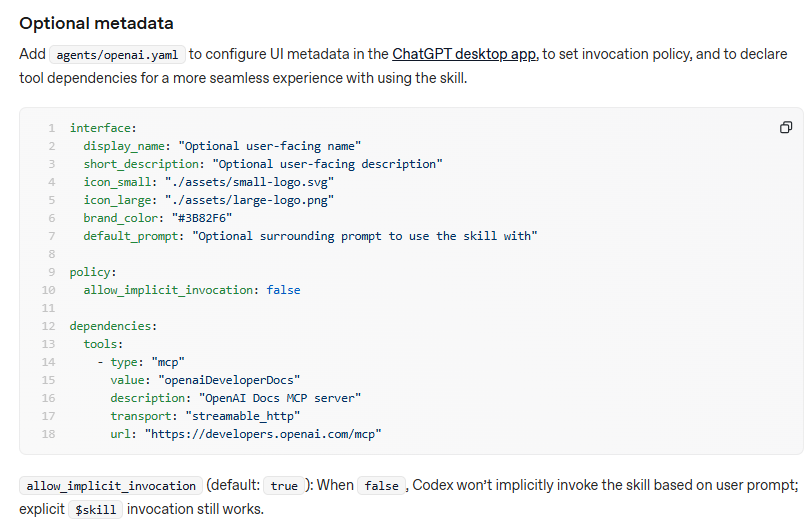
A Codex skill is a reusable set of instructions that Codex can load whenever a task calls for it. Structurally, a skill is just a folder: a required SKILL.md file with YAML frontmatter holds the instructions, while optional subfolders like scripts/, references/, assets/, and agents/openai.yaml hold executables, on-demand docs, output files, and UI metadata.

Think of it as a recipe card you hand to Codex once, instead of reciting the recipe every time.
Why Codex Skills Are Worth Learning
- Consistency: Every task follows the same rules.
- Speed: No more pasting long prompts.
- Shareability: Team members get the same behavior.
- Efficiency: Skills reveal information in three stages: the name and description during selection, the SKILL.md body once triggered, and supporting references only when needed.md body once triggered, and supporting references only when needed. That keeps Codex’s context lean.
Step 1: Decide What Your Skill Should Do
Pick one narrow, repeatable task. Good first skills include:
- Writing commit messages in a fixed format
- Generating meta titles and descriptions for local business pages
- Running a checklist before publishing a blog post
For this tutorial, we’ll build a skill called local-seo-meta that writes SEO-friendly title tags and meta descriptions for local business pages.
Step 2: Choose Where the Skill Lives
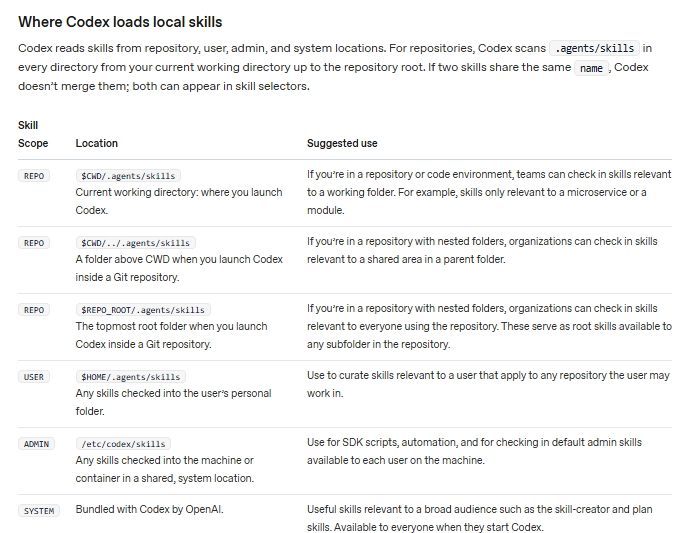
You have two main options:
- Personal (all projects):
~/.codex/skills/<skill-name> - Project-only:
.codex/skills/<skill-name>Inside your repo
OpenAI recommends saving skills in your repository’s .codex/skills/ folder when they should travel with the codebase. Create the folder:
bash
mkdir -p ~/.codex/skills/local-seo-meta
Step 3: Create the SKILL.md File
Inside that folder, create a file named exactly SKILL.md. It has two parts: YAML frontmatter at the top and plain instructions below.
markdown
---
name: local-seo-meta
description: Write SEO title tags and meta descriptions for local business pages. Use when the user asks for page titles, meta descriptions, or on-page SEO for a local service or location page.
---

# Local SEO Meta Writer

When asked for titles or meta descriptions:

1. Identify the service, city, and brand name.
2. Write a title tag under 60 characters in the format:
   Service in City | Brand
3. Write a meta description of 140–155 characters that includes
   the main keyword, the city, and a clear call to action.
4. Offer 3 variations of each.
5. Avoid keyword stuffing and ALL CAPS.
Step 4: Write a Strong Description
The description field is the most important line in the whole file. It’s what tells Codex when to trigger the skill. Be specific about both what the skill does and when it should be used. A vague description like “SEO helper” will rarely fire at the right time.
Step 5: Keep the Instructions Lean
A common beginner mistake is writing an essay. The official skill-creator guidance opens with a simple principle: “Assume Codex is already capable.” You don’t need to explain what SEO is. Just tell Codex your rules, preferences, and any non-obvious steps.
If you have long reference material (like a full brand style guide), put it in a references/ file and link to it from SKILL.md so it’s only read when needed.
Step 6: Restart Codex and Test It
After creating SKILL.md, restart Codex to load the skill. Then try a prompt like: openai
“Write meta tags for a plumbing service page in Karachi for Free Local SEO Audit.”
If Codex follows your format, your skill works. You can also call it directly by name using $local-seo-meta.
Step 7: Or Let Codex Build It for You
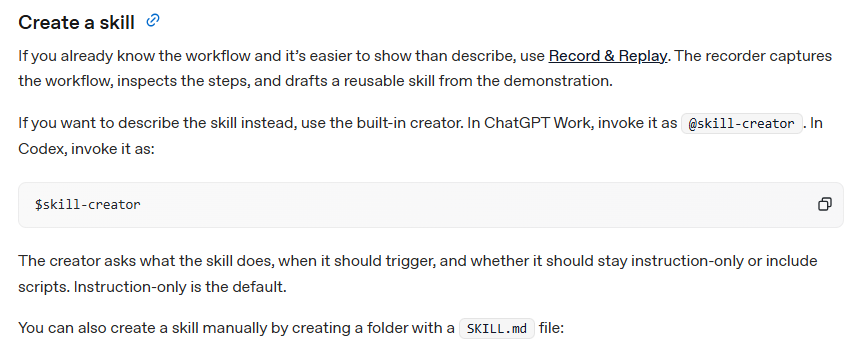
Prefer not to write it by hand? Codex ships with a built-in skill for creating new skills, which you can invoke from the Codex CLI or the IDE extension. Just describe what you want, for example: “Create a skill that writes local SEO meta descriptions,” and review what it generates.
Troubleshooting Common Problems
If your skill doesn’t appear:
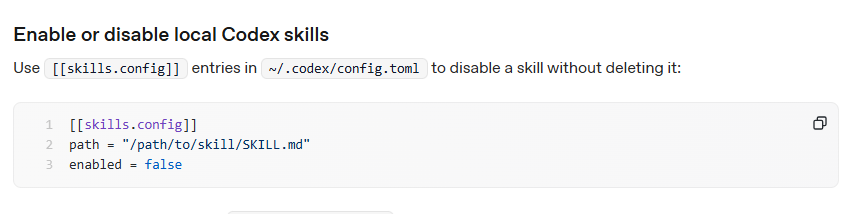
- Make sure skills are enabled and that you restarted Codex, and confirm the file is named exactly SKILL.md and sits in a supported path such as ~/.codex/skills.
- Codex skips skills with malformed YAML or name/description fields that exceed length limits. Double-check your frontmatter dashes and indentation.
- If you want a skill that only runs on demand, setting allow_implicit_invocation: false in agents/openai.yaml keeps it available only when you type $skill-name.
Where to Find More Examples
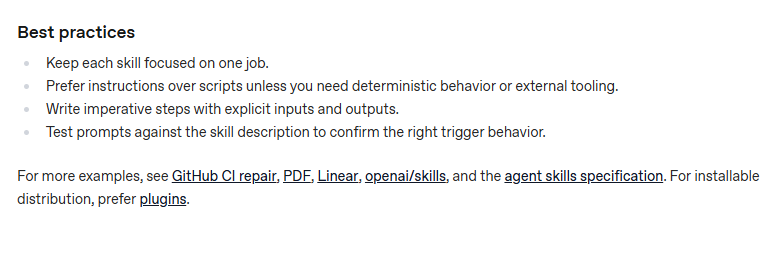
For real-world patterns, OpenAI points to agentskills.io and its skills catalog at github.com/openai/skills. Reading a few existing skills is the fastest way to learn what “good” looks like.
Final Thoughts
Creating your first Codex skill takes about ten minutes: make a folder, write a SKILL.md with a clear description, keep the instructions tight, and restart Codex. Once you’ve built one, you’ll start spotting repetitive tasks everywhere that deserve their own skill.
And if your next project is improving your local search rankings, try pairing your new skill with a free audit at Free Local SEO Audit to find out exactly which pages need better titles and descriptions.