
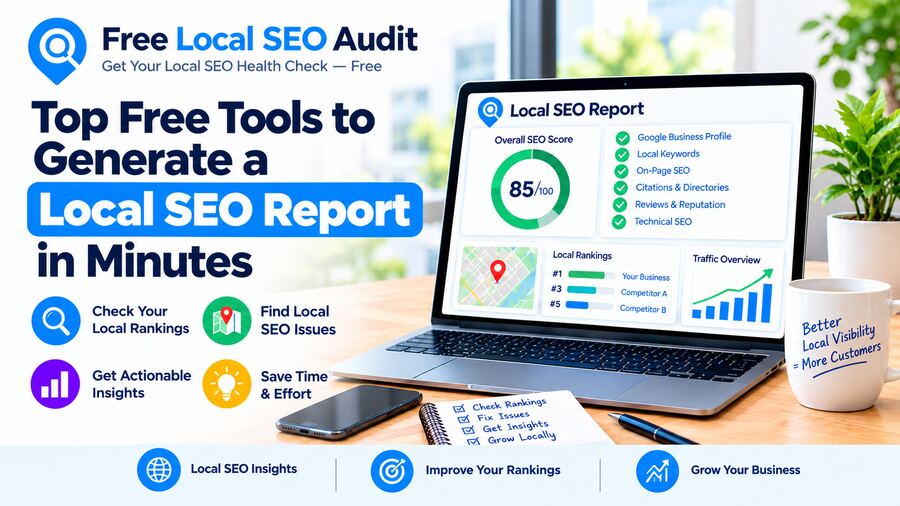
You can generate a useful local SEO report in minutes without paying for software. A free page audit, your Google Business Profile insights, and Google Search Console together cover most of what a small business needs to know.
I learned this when a friend who runs a small bakery asked me why her competitor kept showing up above her on Google Maps. She didn't want a long consultation or a monthly software subscription. She just wanted to know what was wrong and how to fix it. I put together a quick report using only free tools, and it took less time than her coffee break.
Here are the free tools I used, and how you can do the same for your business or your clients.
What a Local SEO Report Should Include
A good local SEO report answers two questions: how easily can nearby customers find you, and what's stopping more of them from doing so? It should cover:
- Website health. Title tags, meta descriptions, headings, mobile-friendliness, HTTPS, and broken links.
- Local signals on your site. A visible phone number, click-to-call, address, opening hours, and a map link.
- Structured data. LocalBusiness schema that tells search engines who you are, where you are, and when you're open.
- Google Business Profile performance. Profile views, searches, calls, direction requests, and website clicks.
- Search visibility. Which local searches show your site, and how many people click through.
- Page speed. Slow mobile pages lose local customers who are searching on the go.
- Listing consistency. Your business name, address, and phone number (NAP) should match across the web.
- Reviews. How many you have, your average rating, and whether you're replying to them.
- Competitor comparison. How your site stacks up against the businesses outranking you.
The Top Free Tools for a Local SEO Report
No single free tool covers everything, but these together come close. Each one fills a different part of the report.
| Tool | What it covers | Time to run |
|---|---|---|
| Free Local SEO Audit | 48+ on-page, technical, schema, local, and AI search checks | Under 10 seconds |
| Google Business Profile (Performance) | Views, searches, calls, direction requests, website clicks | 1 to 2 minutes |
| Google Search Console | Search queries, clicks, impressions, indexing issues | 2 to 3 minutes |
| PageSpeed Insights | Mobile and desktop speed, Core Web Vitals | About 1 minute |
| Google Analytics 4 | Visitors, traffic sources, calls and form submissions | 2 to 3 minutes |
| Rich Results Test | Whether your structured data is valid and eligible for rich results | Under 1 minute |
| Bing Places and Apple Business Connect | Your listings on Bing and Apple Maps | A few minutes |
| Looker Studio | Turns Search Console and Analytics data into a shareable report | Set up once, then instant |
If you only have five minutes, start with Free Local SEO Audit and your Google Business Profile insights. Those two show both sides of local SEO: your website and your map listing.
Why I Start With Free Local SEO Audit
The Free Local SEO Audit is the fastest way I've found to do the website set up for a local SEO report
It runs 48+ checks across 9 categories. The ones that matter most for local businesses include:
- Local SEO signals: phone number on the page, click-to-call link, business address, Google Maps link or embed, opening hours schema, and whether your city appears in your title tag and H1.
- Structured data: whether you have LocalBusiness schema, including name, address, and phone.
- Meta tags and content: title length, meta description, canonical tags, a single H1, and broken links.
- Technical SEO: HTTPS, redirects, mobile viewport, robots.txt, sitemap.xml, and render-blocking scripts.
- AI search visibility: llms.txt, whether AI search crawlers are allowed, FAQ schema, and question-style headings.
- Security headers: HSTS, Content-Security-Policy, and clickjacking protection.
What I like most is that the report doesn't just flag problems. It suggests a sensible order for fixing them: on-page issues first, then LocalBusiness schema, then making your name, address, and phone easy to find, and finally re-running the audit to confirm the fixes worked.
The site also has free extras that are handy for reports:
- SEO Comparison Tool to compare your site side by side with a competitor.
- Schema Checker and Schema Generator to test and create structured data.
- SERP Preview Tool to see how your page looks in search results.
- Image Geo-Tagging, AI Crawler Checker, llms.txt Generator, and Robots.txt Generator.
A few limits to know: it audits one page at a time, it doesn't measure page speed yet, and it doesn't check Google Business Profile, citations, or reviews. That's why I pair it with the other free tools above.
How to Build a Local SEO Report in About 15 Minutes
Here's the exact process I used for my friend's bakery.
- Run the page audit (1 minute). Put the homepage and main service page through the Free Local SEO Audit. Note the overall score and every failed check.
- Compare with a competitor (2 minutes). Use the comparison tool on the business that outranks you. The gaps are often obvious.
- Check speed (2 minutes). Run the same pages through PageSpeed Insights on mobile.
- Pull Google Business Profile insights (2 minutes). Record calls, direction requests, website clicks, and the search terms people used to find you.
- Review Search Console (3 minutes). Note top local queries, clicks, impressions, and any indexing errors.
- Check listings and reviews (3 minutes). Search for your business on Google, Bing, and Apple Maps. Make sure your name, address, and phone match, and note your review count and rating.
- Write the action list (2 minutes). Turn the findings into three to five priority fixes, starting with the quickest wins.
Keep the report simple: a score, a handful of key numbers, and a short list of what to fix next. Then re-run it monthly, or whenever you change your website, to track progress.
Final Thoughts
A local SEO report doesn't have to be expensive or complicated. With a few free tools and about 15 minutes, you can see exactly what's holding a business back in local search and what to fix first. For my friend's bakery, the fixes were simple: add the city to the title tag, add LocalBusiness schema, and put the phone number where mobile visitors could tap it.
Of all the tools in this post, Free Local SEO Audit is the one I'd start with every time. It gives you a 48-point local SEO report in under 10 seconds, shows a clear pass or fail for every check, and tells you what to fix first. There's no sign-up, no credit card, and it's free forever. Add its free comparison tool, schema checker, and SERP preview, and you've covered most of your local SEO report before you even open another tab.
Ready to see where your website stands? you've covered most of your local SEO report at Free Local SEO Audit. It takes seconds, and it's the easiest first step toward ranking higher in your local area.